THE NEW COLUMBUS

Next generation cutting software

WHY ARE WE DOING THIS PRESENTATION?


• Everything changes, software should follow
• Update UI
• Update tech stack, platform agnostic, web
• Workflow and UX improvements
• New streams of income - brand agnostic
• Subscription model with different levels

UX DESIGN

Step by step humanizing technology

WHAT IS UX DESIGN


User experience (UX) refers to the user's journey when interacting with a product or service.

UX design is the process of creating products or services that provide meaningful experiences for users, involving many different areas of product development including branding, usability, function, and design.

WORKSHOPS


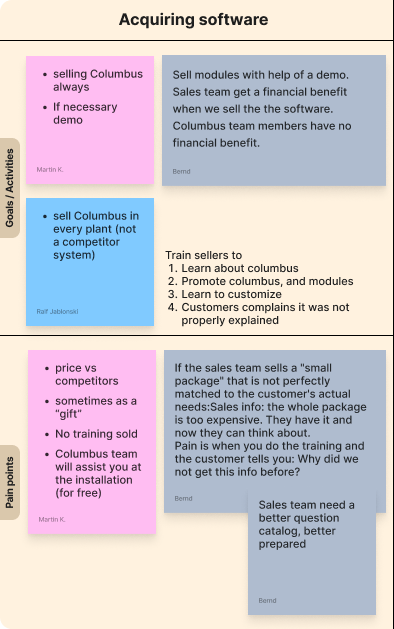
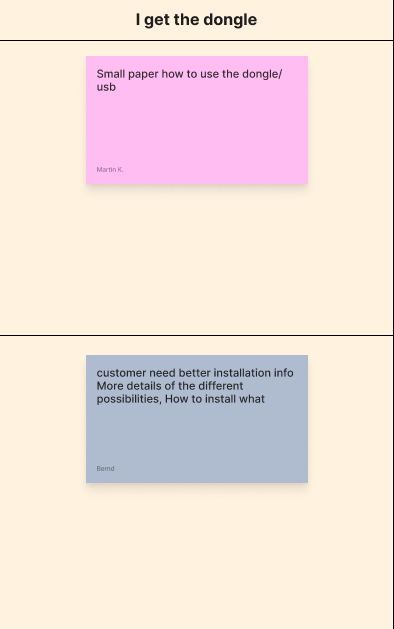
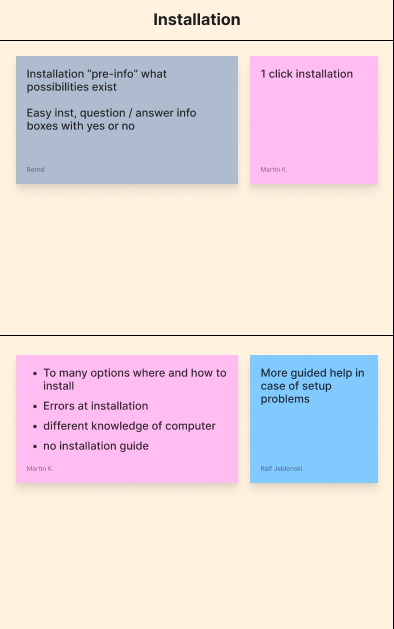
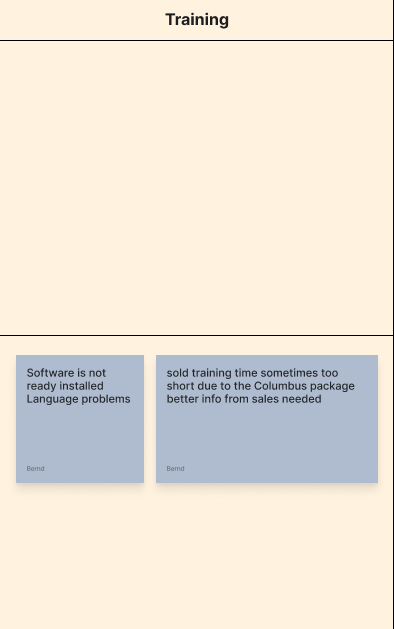
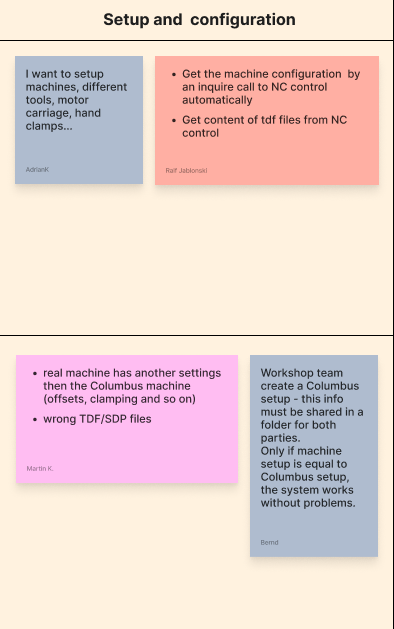
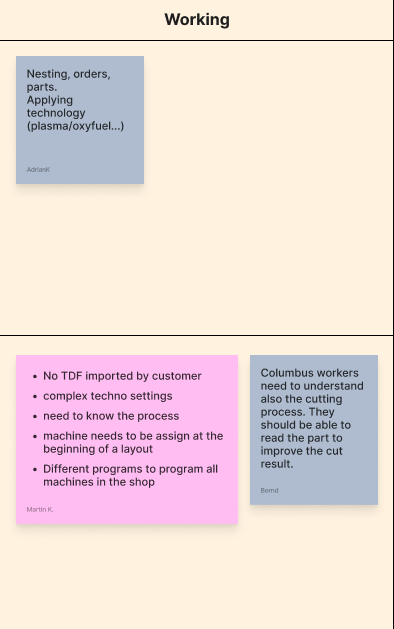
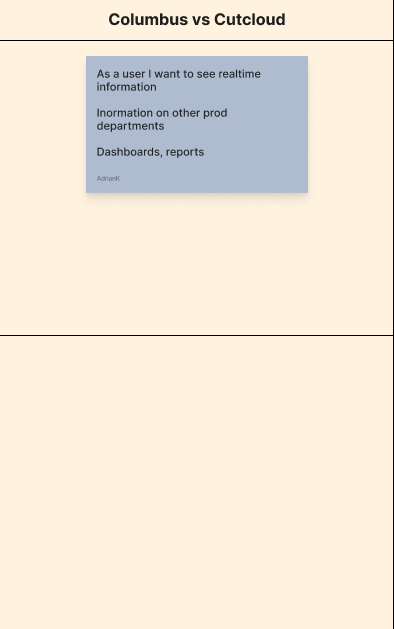
We held several workshops where we aligned with the core Columbus team and derive a comprehensive user journey to identify user pain points. We also sketched up and defined our main user personas that we were designing towards.

During our visits we also got to learn about the world of cutting first-hand where we got to see the process of how a nest goes from the software to the actual cutting table.

THE TEAM

The passionate individuals that stand behind Columbus

Picture

Holger Hahn

Teamleader Development Engineer & Product Manager Application

Picture

Volker Kiehne

Software Engineer Columbus

Picture

Martin Knauer

Project Engineer Application Software

Picture

Bernd Jubelius

Trainer Columbus

Picture

Nandor Ertl

Development Engineer Application

Picture

Marc Haecker

Columbus Hotline & Software testing

Picture

Adrian Kecki

Senior UI/UX designer

Picture

Sergiu Tulgara

Senior UI/UX designer
IDENTIFYING PAIN POINTS

Picture
Picture
Picture
Picture
Picture
Picture
Picture
Picture
Picture
Picture
  • PERSONAS

    • Work preparation dept.

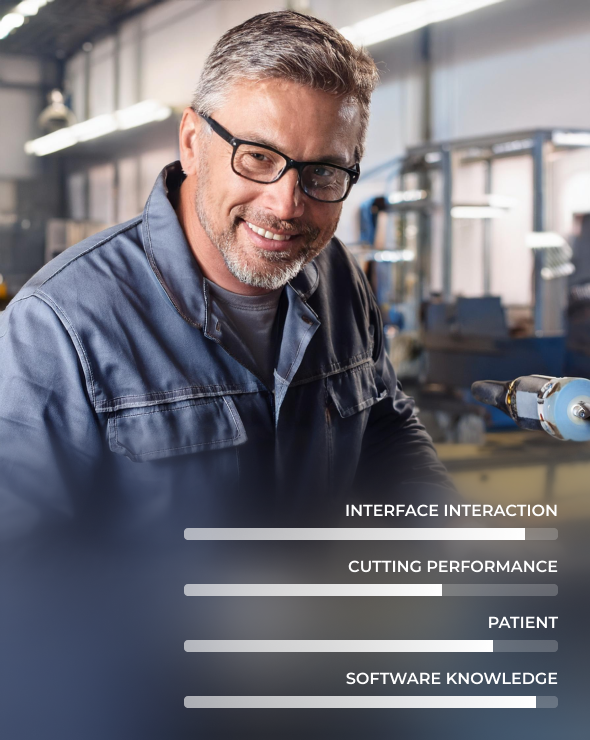
      ADAM

      Technician

      40 y.o. | Married | Work size: 100 | 3 years after school education | Family sedan


      BIO

      Adam spent most of his career next to computers and cutting/cnc machines. Aside from this, he has good knowledge of materials, consumables and other industry related things. His wealth of knowledge makes him the perfect mentor and he helps support with the tough questions.


      WORK RESPONSIBILITIES

      • • Creating nestings, layouts
      • • Setup machine, mentoring
      • • Knows cutting process and consumables
      • • Handles other software like bending, CNC

    • Work preparation dept. but different areas

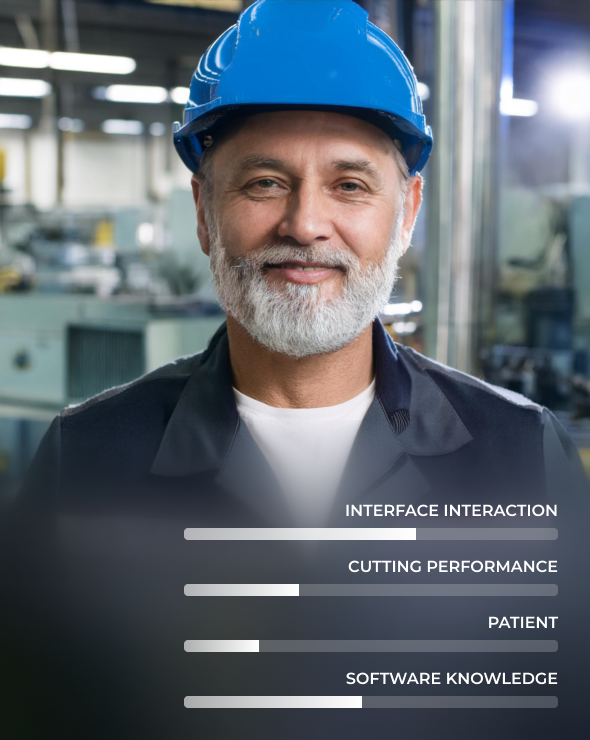
      TOBIAS

      Backup technician

      50 y.o. | Diverced | Work size: 100 | 3 years after school education | Harley Davidson


      BIO

      Tobias is more hands on and likes to work with his hands. He grew up from the shop floor and has a well rounded understanding of all aspects of production. Even though he has been exposed to software in his career, his interest lie else where. When he comes home, he rather work on his bike.


      WORK RESPONSIBILITIES

      • • Planning production
      • • CAD designer
      • • Mentoring
      • • Support

    • Works with everything computer related

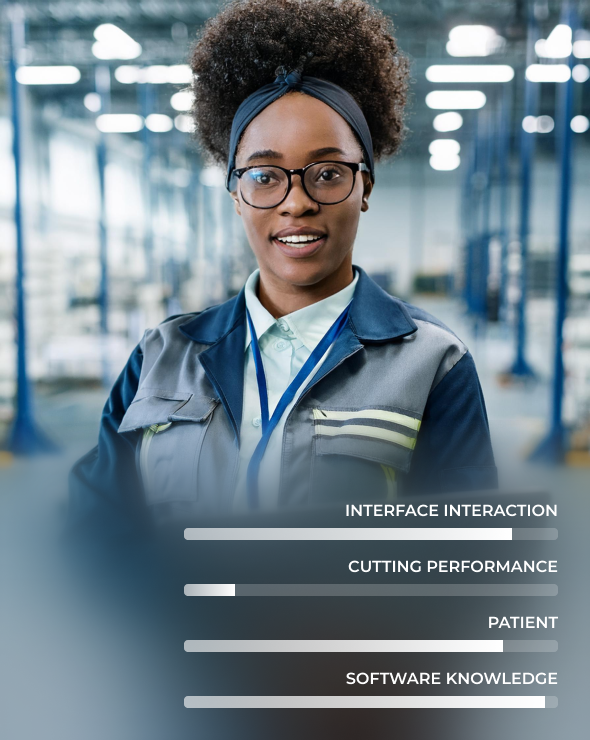
      MARIA

      Tech person, all around

      26 y.o. | Single | Work size: 20 | 3 years vocational training | Electric bike


      BIO

      Maria loves computers and everything related to them. Although she has limited knowledge of the cutting industry, she understand software and how to get around should there be a problem. A valuable team player and a fast learner. Passionate about electric scooters and electric bikes. Vegan.


      WORK RESPONSIBILITIES

      • • Server support
      • • Email support
      • • Software support
      • • Limited production responsibility

    • Business owner

      ROBERT

      Owner

      55 y.o. | Married | Work size: 7 | Self-made | SUV (Sports Utility Vehicle)


      BIO

      Robert is a stressed business owner where the ultimate responsibility falls on him. Therefore, he is a jack-of-all-trades and has limited exposure to software. But sometimes he needs to dive deeper and solve problems so he needs a simple and intuitive solution.


      WORK RESPONSIBILITIES

      • • Proposals, orders, sales
      • • Manage staff
      • • Manage projects
      • • Last man standing

    • Picture
    • Picture
    • Picture
    • Picture

USER FEEDBACK


In line with ESABs focus on VOC, we setup several meetings with some of our key customers where we saw our users use our product live.

We asked the users to think out loud as they were going about their business and let them share their thoughts on the current software.

We then rounded up the experiment with some standard questions.

HIGHLIGHTS & OBSERVATIONS

UI DESIGN

A user interface is well-designed when the program
behaves exactly how the user thought it would.

BRANDED WORKSPACES

NEW HOME

LIGHT AND DARK

NEW TABS AND QUICK MENU


By moving the tabs to the top, they control the entire workspace more logically. Each tab has a corresponding ribbon toolbar.

As the tabs are slightly bigger, the work space iconography is more visible so the user can quickly distinguish between the workspaces.

NEW RIBBON TOOLBAR


By utilizing familiar ui, such as the ribbon tool bar, users will grasp things faster and jump right in.

The user will be able to collapse and also customize the toolbar to their desired preference.

PRECISE TOOL OPERATIONS

LEFT PANEL


The left panel consists of “sheets” and “parts”.

By double-clicking on a sheet in the left menu, the screen jumps quickly to the sheet on the workspace. Each sheet preview is an actual representation of the nest. Unresolved events appear as a badge for each sheet.

For the part, we highlight the most important aspects such as preview, name, dimensions and overall nest status. The user can also quickly assign a color for each part.

IMPROVED WORKSPACE

RIGHT PANEL

LAYOUT SETTINGS


If nothing is selected, the right panel defaults to critical nest settings and the different processes are available.

Ideally, the user should be able to accomplish most of the settings without diving into the techno settings.

RIGHT PANEL

PART


When a part is selected, the user will see:

  • • Part name
  • • Sequence on/off
  • • Program machine state
  • • Properties
  • • Allow free resizing
  • • Copy all settings
  • • Open in part designer

RIGHT PANEL

LEAD-IN


When a lead-in is selected, the user will see:

  • • Lead-in name
  • • Sequence on/off
  • • Program machine state
  • • Select leads

A lead selector panel pops-up when the user wants to change lead-in which is more advanced than a dropdown menu. This allows the user to search or open the lead in techno settings.

RIGHT PANEL

MARKINGS


When a marking is selected, the user will see:

  • • Sequence on/off
  • • Program machine state
  • • Edit message
  • • Test properties

The user can freely resize and move the marking within the parts borders.

RIGHT PANEL

BEVEL


When a bevel is selected, the user will see:

  • • Machine state
  • • Bevel settings
  • • Bevel angles
  • • Bevel’s top, straight and bottom heights

The user can change the above properties to match the needed result.

CREATE NEW NEST

TECHNO SETTINGS


One of the most important panels is the techno settings.

  • • 1st we made the settings appear in its own window so the user can easily resize and place the windows anywhere on desktop
  • • We kept the tree, but added more intuitive icons
  • • The leads are now grouped and represented visually with the settings below

CREATE LEAD


  1. 1. Select where in the tree you wish to create the lead
  2. 2. Click the “+” in the global operations
  3. 3. A predefined name will appear. Preferred if the user changes the name
  4. 4. Program the lead

CREATE MANUAL LEAD

MESSAGES AND EVENTS

MESSAGES EXPLAINED


Monochromatic UI so when a notification appears it draws attention

  • • In the sheets panel, all unresolved issues will get a badge number
  • • An toast with several action will appear for the most critical events
  • • The sheet it self will go orange and highlight for example where there are collisions
  • • In the bottom bar, the logs will appear

NEW TABLE VIEW

VISIBLE FILTERS

FUTURE FEATURES

The best way to predict your future is to create it

PROJECTS

PROJECTS EXPLAINED


With project we wanted to give the user the ability to create deeper structure for more accurate estimation and tracking.

  • • A project will be able to move through different phases
  • • Each phase will present relevant information to help the user make decisions
  • • The user will be able to get a big overview of how all the projects are performing and the material status

TECHNOLOGY / AI

Tools to amplify human intelligence

AI - ANALYZE WORK

AI - NESTING


Smart AI that analyses your entire nest before you send it to the machine.

The AI can identify errors or suggest better settings to save time and money.

CLOUD

We want to offer a 3rd storage location - the cloud.
The users should be able to upload nests, parts, settings and have them available anywhere they go.
They can also easily share their assets and settings with other team members.
Ideally, they can use any of the big cloud services aside from InduSuite Cloud.

  • Cloud server

    Save everything in the cloud and automatically connect with provisioned machines

  • Server

    Connect to your company server and ERP system

  • Local

    Create a local server on your computer. This will install a local database on your computer

WEB BASED FRONT-END


Electron is a framework for cross-platform desktop applications using Chromium and Node.js.

It’s easy to build cross-platform apps using HTML, CSS, and JavaScript.

Your app will be compatible with Mac, Windows, and Linux operating systems right out of the box.

SEAMLESS INTEGRATION


In today’s manufacturing landscape, integrating advanced technologies is essential for optimizing workflows and boosting productivity. Our digital products streamline operations from design to production phase.


Columbus CAD/CAM enables users to create NC programs and plan cutting operations with an intuitive UI.


CutCloud provides real-time data and analytics for effective cutting process management.


WeldCloud Assembly integrate seamlessly with Columbus and CutCloud, allowing real-time tracking and QA while enabling high weld standards and traceability.


FloCloud offers easy data management and analytics for gas consumption, even providing carbon footprint of produced parts.


This powerful ecosystem enhances collaboration, increases efficiency, and drives innovation in manufacturing, enabling businesses to be more agile and responsive in a dynamic market.

BUSINESS

Creating opportunities

SOFTWARE VALUE PROPOSITION COLUMBUS

  • Operations Managers

    The people in this department are constantly looking for opportunities to increase productivity while maintaining a high-quality output. Columbus enables them to be fast in creating programs for cutting machines and getting the best quality possible at the same time for ESAB machines.

  • QA Engineers

    In their position, traceability is paramount, and there´ll come a time that they´ll need to troubleshoot why part quality is not as expected. Columbus assists the user to have the best quality possible by automating technology settings. It also provides all the data necessary to trace a part back to machine and material used to identify the problem and prevent future issues.

  • Business Owners

    Business Owners strive to increase profits and set-up their organization for future growth. Columbus allows the operation to maximize resource utilization by using material more efficiently and allowing employees to work more quickly.

  • Workshop Supervisors

    Their main focus is productivity by optimizing the workflow in the workshop. Columbus uses the maximum possible productivity by maintaining highest quality output on the machines. ESAB machines are also directly connected to Columbus to avoid unnecessary work by manually reporting the outcome of a NC program.

PRODUCT HIGHLIGHTS

  • Built-in process logic

    Make every programmer and operator a pro with minimal learning curve thanks to the built-in logic new intuitive and easy-to-use UI.

  • Automated nesting to maximize plate utilization

    Minimize the material waste from your cutting operations by automatically optimizing nesting across multiple plates by using AI powered algorithms .

  • Reduce bevel cut programming time by 50%

    Program complex multi-pass bevel parts in half the time by automatically generating bevel commands using the new intuitive and easy-to-use UI .

  • Work and event scheduling

    Schedule the cutting work and events like preventive maintenance and planned down time for your fleet of cutting machines. The new Projects feature gives a greater progress overview, the possibility to create groups and group work items for a more efficient monitoring process.

  • ERP system integration

    Save up to 50% in production lead time and maximize data quality by avoiding manual data transport and handling. Improve cut quality by a fully predictable and repeatable process. Streamline the production process by using the power apps as add-ons, connect to ERP and other systems through standard API, use common interfaces, power automate .

THE MARKET


ESAB Machines

In our ongoing efforts to enhance our offerings, we will develop brand-agnostic post-processors in addition to ESAB machines. This initiative is, based on the reachable global market, generating approx. $4 million in recurring revenue after 5 years.


Cloud Storage Implementation

We are also introducing cloud storage as a new revenue stream. This implementation is projected to yield around $100,000 for every 100 users, providing a significant boost to our financial performance and makes excellent customer support affordable.


Columbus Next-Generation Subscription-Based Platform

Our Columbus platform will transition to a subscription-based model. New accounts will be required to subscribe, while existing accounts will have the option for a reduced subscription that includes maintenance and support. By converting 50% of our user base to this subscription model, we anticipate generating about $1 million in yearly recurring revenue.

SUBSCRIPTION PLANS

  • Light

    50

    Monthly

    • Small simple nesting
    • for use on CNC or
    • light frontend devices
  • Basic

    150

    Monthly

    • Manual manipulation
    • Changes of lead-ins types
    • Select lead-ins position
    • Autonest or not, different price
    • Selecting material technology
    • Material handling
  • Standard

    399

    Monthly

    • All from Basic
    • +
    • Plate management
    • Order management
    • Auto nest
    • Beveling
    • Step import
    • CSV import
  • Advanced

    749

    Monthly

    • All from Standard
    • +
    • Job wizard
    • Projects
    • Database interface
    • Solid works
    • Advanced geometry import
    • API